


Cubiko CNC Router, An Affordable Desktop CNC for Everyone
Cubiko CNC Router, An Affordable Desktop CNC for Everyone
- 101-60-CUBK-A
- 101-60-CUBK-A
- 101-60-CUBK-E
- 101-60-CUBK-B
- 101-60-CUBK-AU
- 101-60-CUBK-J
Couldn't load pickup availability
![[POS] Cubiko CNC Router, An Affordable Desktop CNC for Everyone.](http://www.sainsmart.com/cdn/shop/files/Cubiko-12001.png?v=1741315636&width=1445)
![[POS] Cubiko CNC Router, An Affordable Desktop CNC for Everyone.](http://www.sainsmart.com/cdn/shop/files/Cubiko-12002.png?v=1741315636&width=1445)
![[POS] Cubiko CNC Router, An Affordable Desktop CNC for Everyone.](http://www.sainsmart.com/cdn/shop/files/Cubiko-metal-01.jpg?v=1759980054&width=1445)
![[POS] Cubiko CNC Router, An Affordable Desktop CNC for Everyone.](http://www.sainsmart.com/cdn/shop/files/Cubiko-enclosure-10.jpg?v=1759980054&width=1445)
![[POS] Cubiko CNC Router, An Affordable Desktop CNC for Everyone.](http://www.sainsmart.com/cdn/shop/files/Cubiko-12003.png?v=1759980054&width=1445)
![[POS] Cubiko CNC Router, An Affordable Desktop CNC for Everyone.](http://www.sainsmart.com/cdn/shop/files/Cubiko-PCB-12.jpg?v=1759980054&width=1445)
![[POS] Cubiko CNC Router, An Affordable Desktop CNC for Everyone.](http://www.sainsmart.com/cdn/shop/files/Cubiko-12008.png?v=1759980054&width=1445)
![[POS] Cubiko CNC Router, An Affordable Desktop CNC for Everyone.](http://www.sainsmart.com/cdn/shop/files/Cubiko-12006.png?v=1759980054&width=1445)
![[POS] Cubiko CNC Router, An Affordable Desktop CNC for Everyone.](http://www.sainsmart.com/cdn/shop/files/Cubiko-12007.png?v=1759980054&width=1445)
![[POS] Cubiko CNC Router, An Affordable Desktop CNC for Everyone.](http://www.sainsmart.com/cdn/shop/files/Cubiko-box-09.jpg?v=1759980054&width=1445)
![[POS] Cubiko CNC Router, An Affordable Desktop CNC for Everyone.](http://www.sainsmart.com/cdn/shop/files/Cubiko-12005.png?v=1759980054&width=1445)
![[POS] Cubiko CNC Router, An Affordable Desktop CNC for Everyone.](http://www.sainsmart.com/cdn/shop/files/Cubiko-12004.png?v=1759980054&width=1445)
![[POS] Cubiko CNC Router, An Affordable Desktop CNC for Everyone.](http://www.sainsmart.com/cdn/shop/files/Cubiko-metal-01_6182a7b8-91c9-4eef-ae23-05aa7eeb0e76.jpg?v=1759980054&width=1445)
![[POS] Cubiko CNC Router, An Affordable Desktop CNC for Everyone.](http://www.sainsmart.com/cdn/shop/files/Cubiko-guide-06.jpg?v=1759980083&width=1445)

Cubiko, An Affordable & Smart Desktop CNC for Everyone

Cubiko, An Affordable & Smart Desktop CNC for Everyone
Customer Success Story
Introducing Genmitsu Cubiko
A Real User-Friendly CNC for Everyone


Use Right Out of the Box

Multi-CNC Functions
 CNC Carving
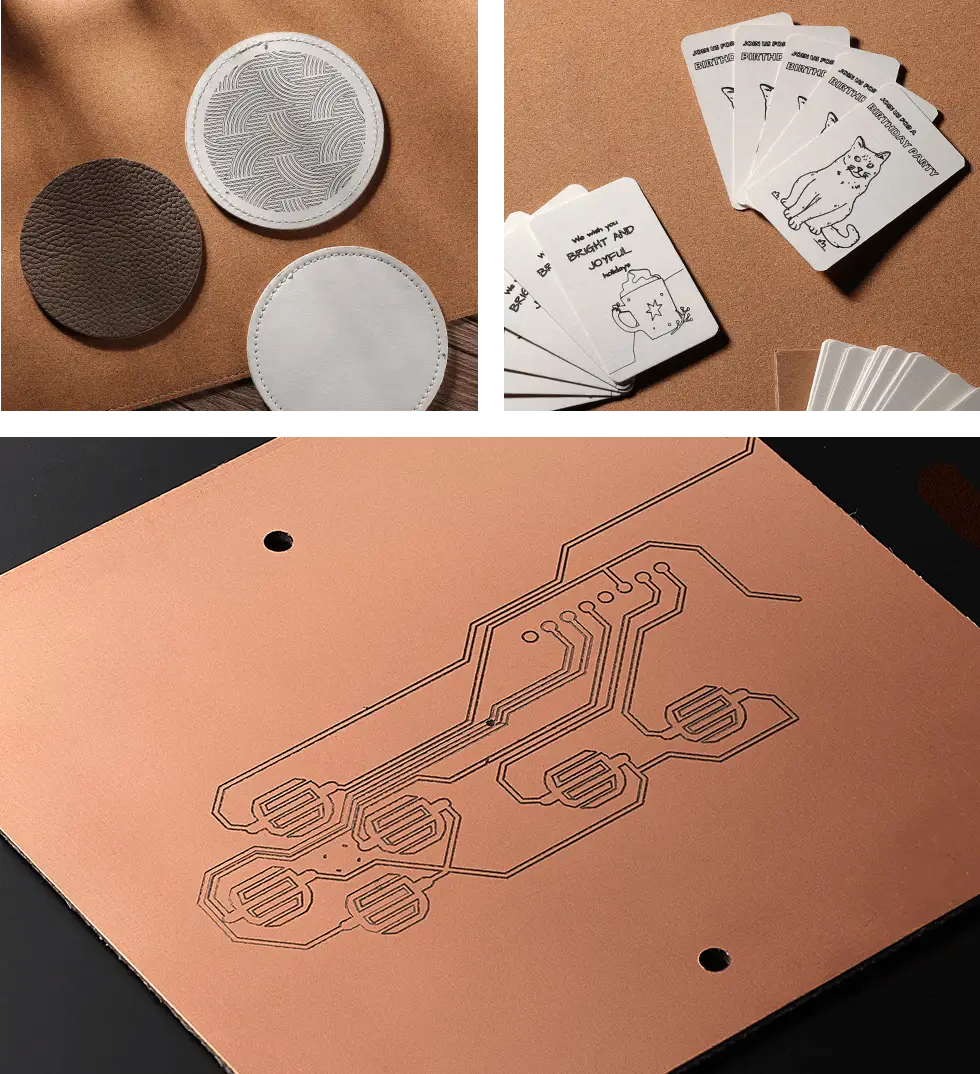
Designed for PCB Milling
CNC Carving
Designed for PCB Milling
Uneven surfaces often cause milling issues. Our machine features Height Map Auto Leveling, which measures multiple points and automatically adjusts for height compensation, ensuring more accurate PCB milling.
Laser Engraving
Effortlessly engrave delicate designs, patterns, and even photos on multiple materials, like wood, leather, and glass. Bring your DIY projects to life.
*The laser module needs to be purchased separately.
Precise Drawing
Streamline detailed designs with unmatched accuracy and speed, perfect for large projects or batch tasks.
*The drawing module needs to be purchased separately.
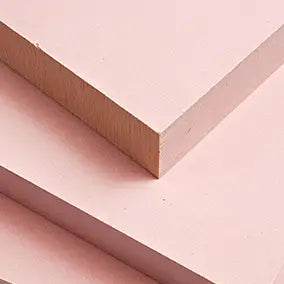
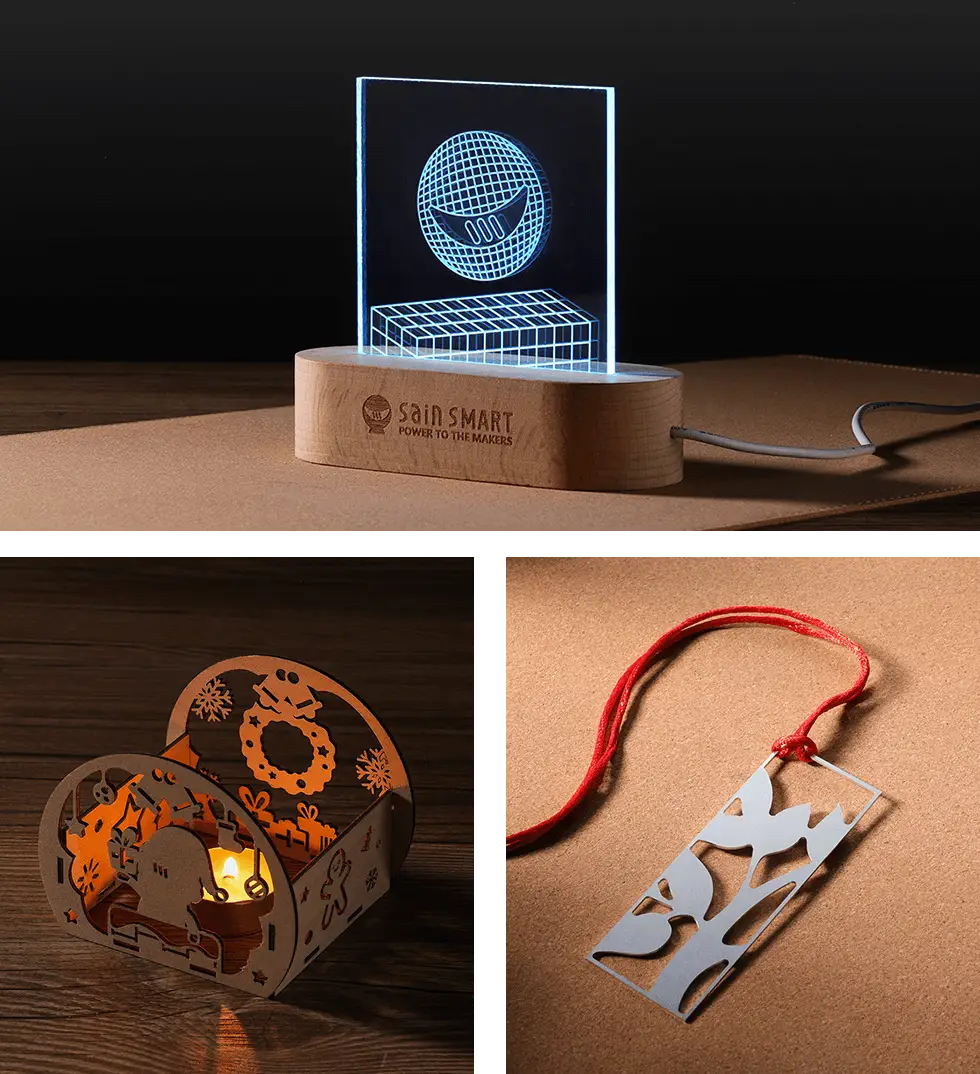
Support Multiple Materials









 Gallery
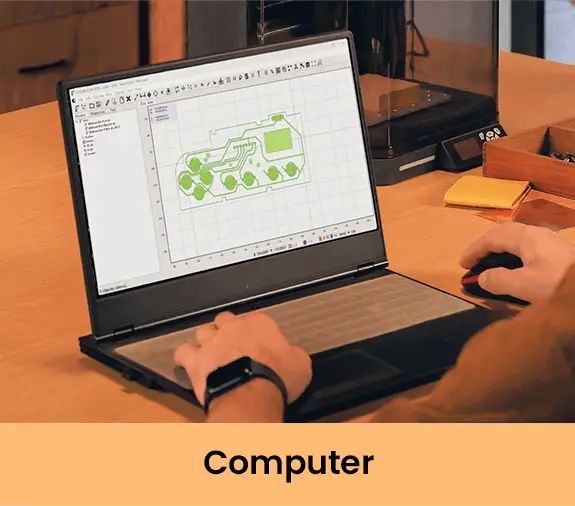
Comprehensive CNC Control Options



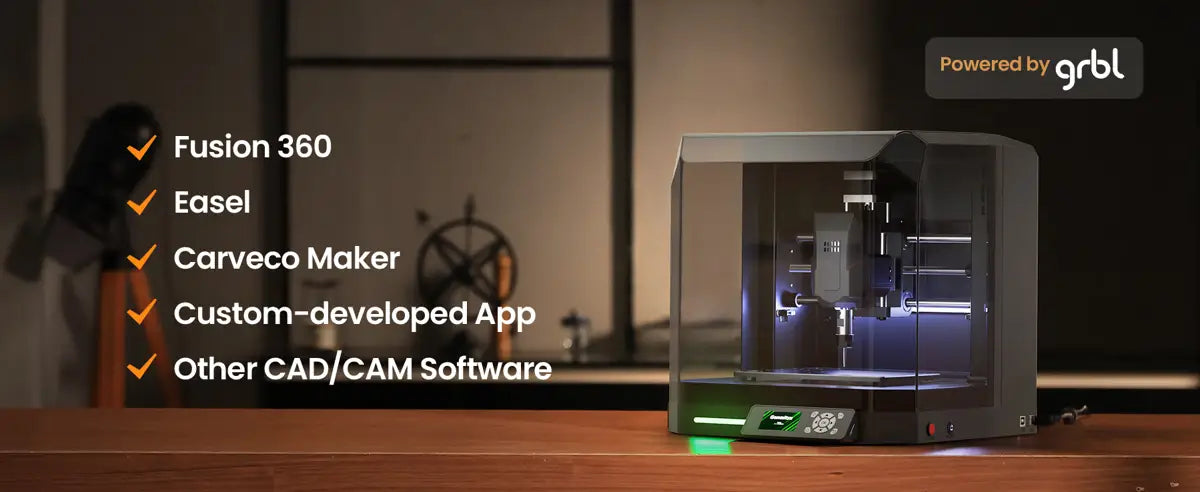
Neat and Smart
Auto Z-Probing
Effortless setup and quick start

Enclosed Design
For dust-free,
low-noise operation
Smart Protection
Auto-stop when the door opens
Cubiko Full Review
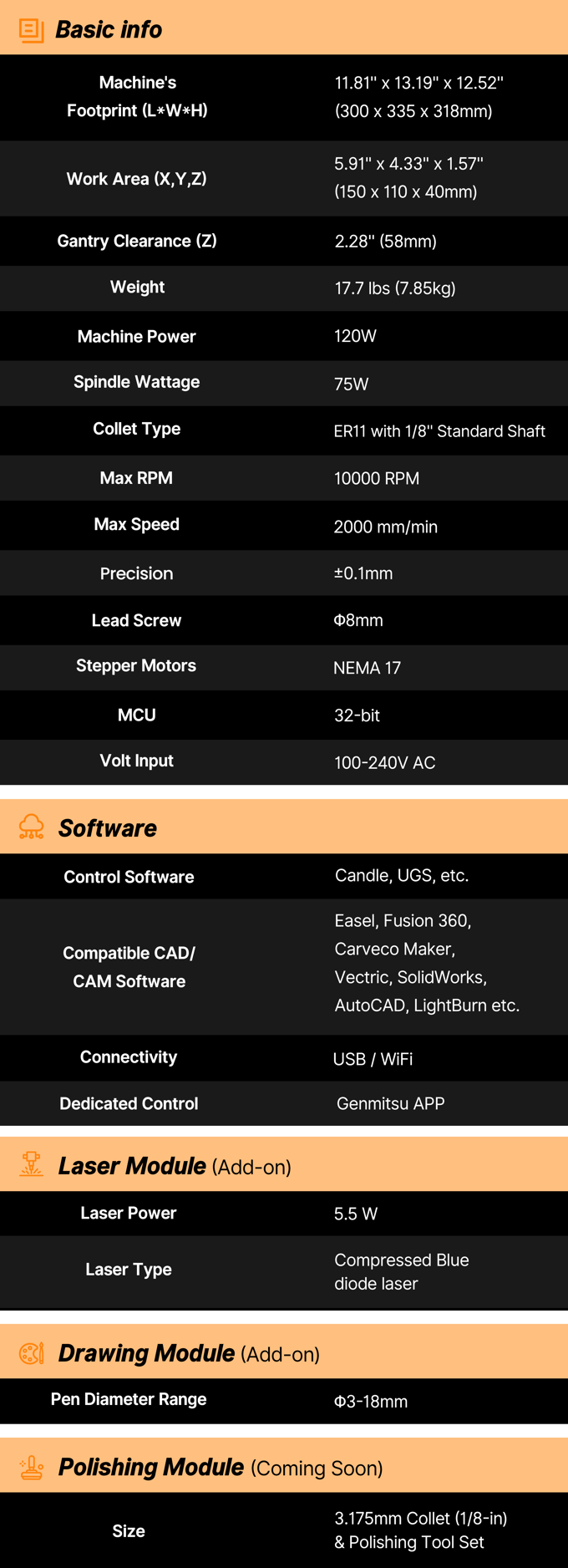
Specifications
What’s in the Box

About Genmitsu
Resource
Always Start the Alarm?
If both the X and Z axes reach their limits, they will repeatedly trip the limit switches, causing an alarm. You can also check the Y axis to see if the same situation exists. To resolve this issue, follow these steps:
1. Click the 'Unlock' button first,
2. Go to the jog settings to jog X-axis, Y-axis, and Z-axis to the middle.
3. And then click 'Reset' button. You will see that the machine will not have the Alarm.
4. Here is a guide video for the reference - https://drive.google.com/file/d/1RaLOXq6qBvpZW84lSDPGaGRl7OsNrHlV/view?usp=drive_link.
5. After the status becomes Idle, you can try to home the machine and see if there will be the Alarm.
Firmware Update
V44 Cubiko Firmware Update Note
‒ Flexible tool setting without built-in Z-probe block.
‒ Offline UI Optimization: Long-press the “Back” button on the home page to quickly unlock and refresh the interface.
‒ Calibration “Z-Probe” updated to “Plat Calibrate”.
‒ Default homing speed adjusted to 300 ($24=300) for improved operational stability.
‒ Enhanced height map accuracy: edge data from actual measurement, probing area 5–10mm larger than carving area.
Cubiko CNC Resource Page
Click to read more about the Cubiko resource page. This compendium is the collection of resources for Genmitsu Cubiko CNC Router provided by SainSmart and community members.
You can join our Facebook group for discussions and project ideas for your new CNC machine.
Spoilboard Dimension Drawings
Cubiko Spoilboard Platform Drawings (Click here to download)
Drafting board fixture - A6 sheet
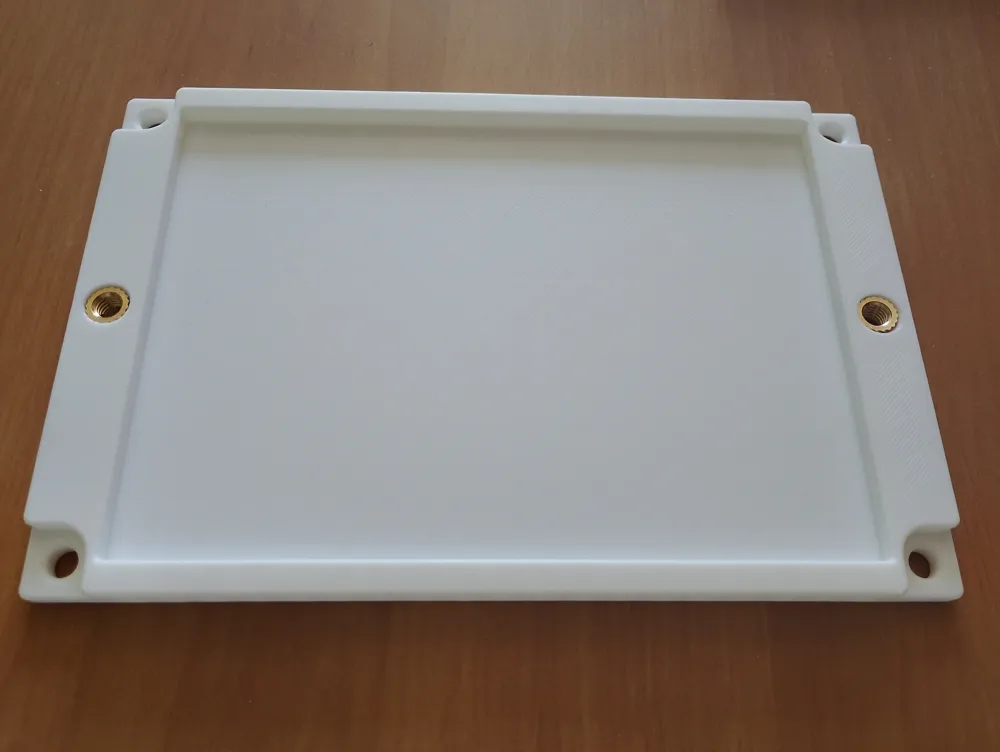
I needed to fix an A6 sheet of paper in my new Genmitsu Cubico machine,
I use it in combination with Pen Plotter Handwriting Robot Module.
Quickly change the paper between jobs without tearing it with standard clamps was kind of problematic.
So i came up with this. The purpose of this fixture is to make it easier to work with the machine in the class room.
I use this machine mainly for education purposes, so the use of the pen holder module seems best (quiet, no dust, etc.).
But you may find a different way how to use this fixture for some engraving or cutting jobs as well.
Additional parts needed to complete this fixture:
2x Heat Set Inserts - M5 short - L = 5,8mm
4x Plain washer 5,3 (DIN125)
4x Hexagon Socket head cap screw M5x12 (DIN4762)
2x Wing screw M5x8 (DIN316)
Hope you like it!
The pictures of printed parts are showing the prototype version.
The fastening parts on the latest version are slightly changed, shown on the drawing.