


CFL10-40 10W FAC 435nm Laser Module for 3020-PRO, 3030-PROVer, 4040-PRO Series, PROVerXL4030, 2X2, 4X4, Laser Class 4
CFL10-40 10W FAC 435nm Laser Module for 3020-PRO, 3030-PROVer, 4040-PRO Series, PROVerXL4030, 2X2, 4X4, Laser Class 4
- GA-CFL10-40
- GA-CFL10-40
- GA-CFL10-40
- GA-CFL10-40
- GA-CFL10-40
- GA-CFL10-40
Couldn't load pickup availability
True 10W Optical Power: Cuts 10mm pine board in one pass with high-density energy. Instantly upgrades your CNC router machine for woodworking and acrylic cutting as a laser machine
Ultra-fine Precision: Features a 0.05 x 0.15 mm compressed laser spot for industrial-grade detail. Delivers clean vector cuts and sharp raster engraving on complex patterns.
Integrated & Lightweight: Built-in control board reduces mechanical load and cable clutter. This lighter architecture improves gantry stability and movement speed for smoother results
Seamless Compatibility: Compatible with Genmitsu milling machines, including 3020-PRO Ultra, 3030-PROVer Ultra, 4040-PRO, 4040-PRO MAX, PROVer XL 4030 V1/V2, PROVerXL 6050Plus, and PROVer XL 2X2/4X4. Expands your machine from routing to laser crafting instantly
Enhanced Safety & Life: Rated for 10,000+ hours with superior heat dissipation. Includes a protective eye shield for safe observation and a focus module for fast, tool-free adjustments


Introducing
Unlock professional laser capabilities with this 10W Optical Power Module. Engineered for Genmitsu CNCs, it cuts 10mm pine in a single pass and engraves with ultra-fine accuracy. The integrated driver design reduces weight for faster, stable operation, while the built-in shield ensures safety. Durable and easy to install, it’s the ultimate upgrade for detailed woodworking and acrylic projects. Transform your CNC router into a powerhouse laser cutter today.
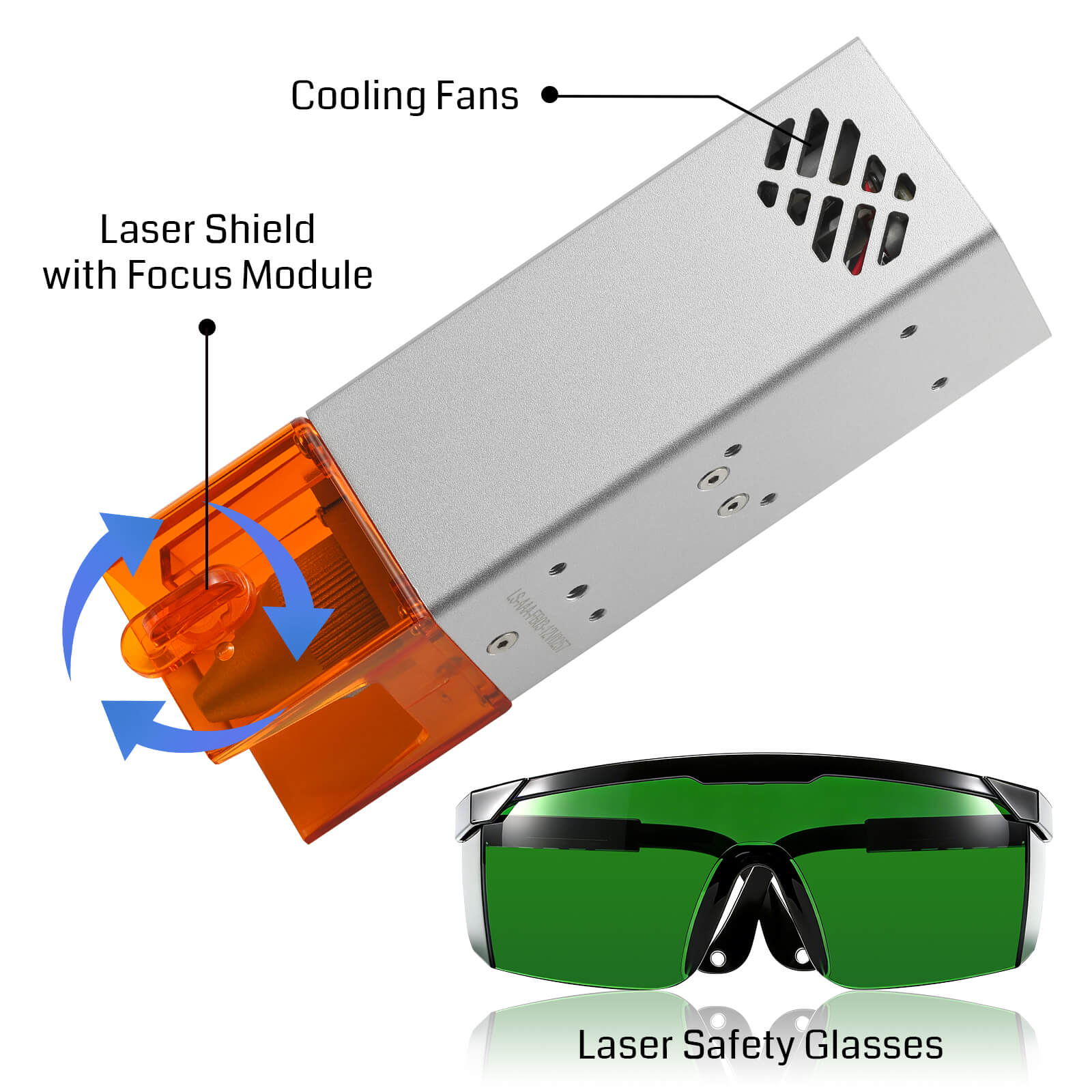
Safety for Peace of Mind
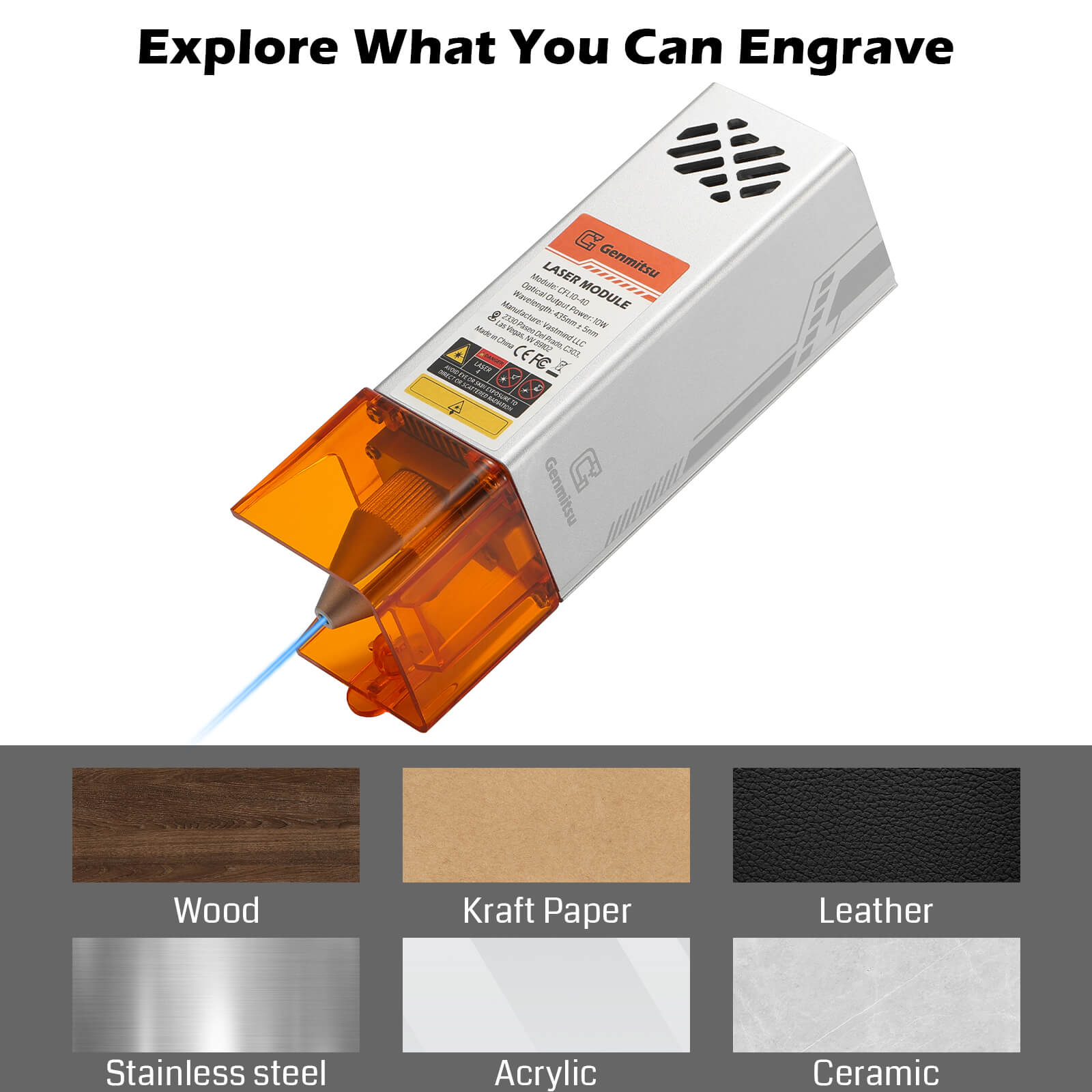
Wide Range of Materials
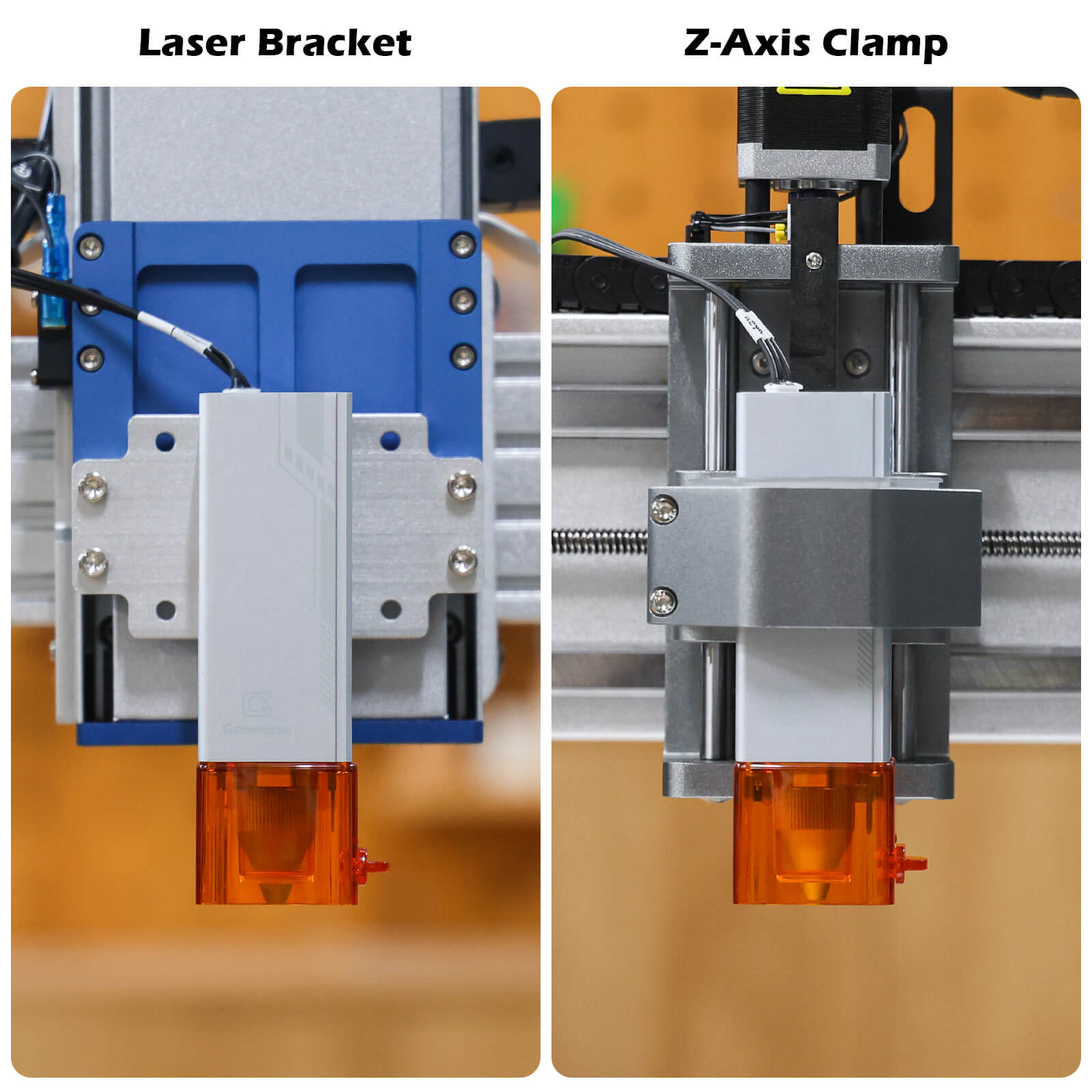
Seamless CNC Compatibility
What's in the box
- 1 x 10W Laser Module
- 1 x Safety Goggles
- 3 x Signal Cable
- 1 x 2mm Wrench
- 4 x Hex Socket Screw
- 1 x User Manual
FAQs
The CFL10-40 (GA-CFL10-40) is suitable for a 52 mm spindle mount.
| Machine Model | Laser Connection Cable | Laser Installation Method | Whether a Mount File Needs to Be 3D Printed by the User |
| 3020-PRO MAX V2 | Signal Cable A+C | Install the laser module directly onto the 52 mm spindle mount. | NO |
| 4040 RENO | Signal Cable A+C | Remove the 42 mm ring first, then install the laser module onto the 52 mm spindle mount. | NO |
| 4040-PRO | Signal Cable A+C | Remove the 42 mm ring first, then install the laser module onto the 52 mm spindle mount. | NO |
| 3030-PROVer Max | Signal Cable A+C | Install the included 52 mm spindle mount, then place the laser module into the mount. | NO |
| 4040-PRO MAX | Signal Cable A+C | Install the 52 mm ring included in the machine package onto the 65 mm spindle mount, then insert the laser module into the mount. | NO |
| 3020-PRO Ultra | Signal Cable A+C | Install the 52 mm ring included in the machine package onto the 65 mm spindle mount, then insert the laser module into the mount. | NO |
| 3030-PROVer Ultra | Signal Cable A+C | Install the 52 mm ring included in the machine package onto the 65 mm spindle mount, then insert the laser module into the mount. | NO |
| PROVerXL 4030 V1 | Signal Cable A+B | Remove the spindle mount, then install the laser module onto the laser adapter plate included in the package, and finally mount it onto the Z-axis mounting plate. | NO |
| PROVerXL 4030 V2 | Signal Cable A | Install the laser module directly onto the 52 mm spindle mount. | NO |
| PROVerXL 4030S | Signal Cable A | Remove the spindle mount, then install the laser module onto the laser adapter plate included in the machine package, and finally mount it onto the Z-axis mounting plate. | NO |
| PROVerXL 2X2 | Cable that comes from machine/Signal Cable A | Remove the spindle mount, then install the laser module onto the laser adapter plate included in the machine package, and finally mount it onto the Z-axis mounting plate. | NO |
| PROVerXL 4X4 | Cable that comes from machine | Remove the spindle mount, then install the laser module onto the laser adapter plate included in the machine package, and finally mount it onto the Z-axis mounting plate. | NO |
| PROVerXL 6050 Plus | Cable that comes from machine | Remove the spindle mount, then install the laser module onto the laser adapter plate included in the machine package, and finally mount it onto the Z-axis mounting plate. | NO |
Precautions
- Please read the instructions carefully before use.
- Direct exposure to the laser beam can cause severe burns and eye damage. Ensure that you are wearing proper laser safety goggles when working in the vicinity of the laser equipment.
- Know the compatibility of the laser module and its maximum input voltage and current so as not to damage the laser.
- When engraving reflective materials such as mirror stainless steel, it is recommended to paint the material surface black with a marker before engraving, preventing laser damage and unwanted laser exposure from the reflective laser beam.
- After long hours of laser working, residue from smoke and dirt will accumulate on the laser lens, cleaning the lens regularly is needed. After working with oily materials, such as pine boards, cleaning the lens in time is necessary.
- Cleaning method: use a cotton swab dipped in alcohol to wipe the lens.
- Please use a smoke exhaust device and ensure that the room or area you are operating the laser is well-ventilated
Resource
CNC Laser Module - Engraving Parameters
| Material | Power | Speed (mm/min) | Interval (mm) |
| Kraft paper | 80% | 2000 | 0.12 |
| Plywood | 80% | 2000 | 0.10 |
| Solid wood | 80% | 2000 | 0.10 |
| Bamboo board | 80% | 2000 | 0.10 |
| Cork | 50% | 2000 | 0.10 |
| Transparent acrylic (blackened) | 30% | 2000 | 0.10 |
| Frosted glass (blackened) | 40% | 2000 | 0.10 |
| Leatder (white, blackened) | 40% | 2000 | 0.10 |
| Silicone | 70% | 2000 | 0.10 |
| Pebble | 40% | 2000 | 0.10 |
| Ceramic (blackened) | 100% | 1500 | 0.10 |
| Aluminum plate (blackened) | 40% | 2000 | 0.10 |
| Stainless steel | 100% | 1000 | 0.10 |
| White felt (blackened) | 70% | 2000 | 0.10 |
CNC Laser Module - Cutting Parameters
| Material | Power | Speed (mm/min) | Number of cuts |
| Plywood 3 mm | 100% | 200 | 1 |
| Plywood 5 mm | 100% | 100 | 1 |
| Plywood 8 mm | 100% | 150 | 6 |
| Plywood 10 mm | 100% | 80 | 10 |
| Solid wood 5 mm | 100% | 80 | 3 |
| Solid wood 12 mm | 100% | 80 | 4 |
| Black acrylic 10 mm | 100% | 80 | 12 |
| Black acrylic 15 mm | 100% | 80 | 15 |
| Felt (blackened) 3.5 mm | 100% | 80 | 20 |
| Leatder 1 mm | 100% | 800 | 1 |
| Medium-density fiberboard (MDF) 4.3 mm | 100% | 150 | 6 |